Showing posts with label Video Games. Show all posts

Monday, April 28, 2014

Game On!: Super Smash Brothers Tournament

From: en.wikipedia.org
One of my more successful teen programs has been my Super Smash Brothers Brawl Tournament. I usually get between 20 and 30 teens (mostly boys) who aren't my regular attendees. It's also a relatively low-prep/low cost program.

You'll need:

  • A Nintendo Wii, preferrably 2. I use 1 Wii from our teen room and I also bring in mine from home.
  • 2 - 4 Wii motes/nun-chucks per console
    • Note: Most of the teens like to play Smash Brothers with Game Cube controllers. I don't own any, so I let them bring their own from home.
  • 1 copy of Super Smash Brothers Brawl per console
  • Board games/other activity for the teens to play while they wait for their turn
  • Snacks! I set out soda, chips, and pretzels. I make sure to tell them that the food/drink has to stay away from the Wii's though.
  • Brackets
    • You can use an online bracket generator or draw your own. I print mine off onto large paper because the teens really love gathering around the bracket board to see who's playing who.


How it's done:

  • For this program, I find it best to have me and 2 volunteers (preferably ones who are familiar with the game). This way, I can have one volunteer monitoring each of the matches in case there are arguments about fairness and such and I can work on the brackets and announcing the matches.
  • As the teens arrive, I check off their names and ask them if they want a "handle" (or gamer nickname) for the tournament. Most do. I write their handle down next to their real name and have them also write their handle on a sticky name tag to wear. I also write their handles on a small piece of paper and put it into a box. I will then draw their names out of the box to randomly determine who will play who in the first round.
  • Then they can go warm up on the game while the other teens arrive.
  • Next I gather all of the teens together to go over The Rules (see below). While I am doing that, one of my volunteers can draw the names for the first round of matches and fill in the brackets.
  • Then we announce the first four players and begin!

The Rules:

  • Registration and warm-up begins a half hour before the tournament. 
  • All participants must  be registered
  • Brawls will have 2 competitors per match-up (1 vs. 1)
  • Rules of the game:
    • Time limit = 5 minute brawls
    • Stock limit = 3
    • Handicap = Off
    • Stage Choice = Decided the day of the tournament (Note: I usually choose Smashville for the tourney stage. It's small and works well for 1 on 1.)
    • No items or Smash Ball
  • This will be a DOUBLE ELIMINATION tournament
    • Winner will move on to the next round of the tournament
    • Losers of each match will get to play in the "Loser's Bracket"
    • The winners of the winner and loser’s bracket will play head to head to determine the tournament winner, but the loser’s bracket winner must beat their opponent twice in a row
  • Participants may bring their own Game Cube controllers, but NOT memory cards.
  • Meta Knight is banned.
  • Stalling is banned.
  • Trash-talking is a disqualifier.
  • No do-overs! Check your controller, etc. BEFORE you start the match.
  • Any ruling by the judges is FINAL.
With these rules/time limits in place, I was able to get through the matches for 24 participants in about 2.5 hours. You could possibly have shorter matches to let more teens play, but I think with more than 24 teens it begins to get a little crazy and everything gets more difficult to keep organized.

Have you ever done a video game tournament? What worked? What didn't?

Tuesday, April 1, 2014

Anime Club - Rhythm Heaven Fever

It was by pure happenstance that I discovered it - a genius little video game for the Nintendo Wii that combines colorful graphics and catchy tunes all into one big ball of fun.

It's name? Rhythm Heaven Fever.

Genius.

It's pretty brilliant. Players must unlock increasingly difficult challenges by hitting their Wii remote buttons in time to the music. There are also some games 2-player mode that are unlock-able.

And it's only $11.99 on Amazon.

I noticed that it was created by a Japanese music producer, so I thought it would be perfect to try with my Anime Club. I set up in our large meeting room utilizing both of our projector screens. I hooked up 2 Wii systems (1 library-owned and 1 personally-owned) and secured 2 copies of the game.

(Note: The first time I did this program, I didn't realize that you had to unlock the games so they aren't all available from the get-go. So what I did the second time was take the game home and spend an evening with some of my video gaming friends unlocking all of the games ahead of time. That way, my anime teens could just pick and choose which songs they wanted to try from the full list. You can then copy the game to an SD card and use it on multiple Wii consoles. It's up to you how you want to run the program though.)

I also set up some tables in the middle of the room and put out some paper and pencils so that the teens that didn't want to play could just hang out. And of course, I had a snack.

The teens loved playing the game so much, they ask me to do it every year. I usually plan it for March since it coincides with Teen Tech Week.

It's a very low-prep program for a big payoff!

Do you ever do video gaming with your anime club? What games do you play?

Saturday, August 17, 2013

Get Into Creative Mode: Host a Minecraft Build-Off!

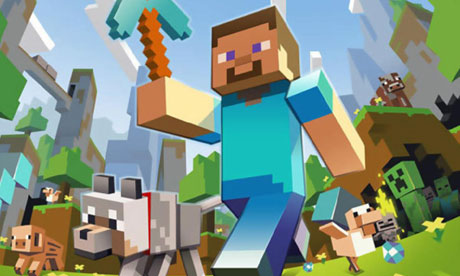
This summer, I hosted a very successful Minecraft Build-Off program for teens at my library. Even though I myself am an experienced Minecraft player at home, you don't have to be one in order to put on a program with your teens.

The general idea of Minecraft is that players "mine" resources (wood, stone, diamond, wheat, etc.) and then can "craft" with them and build structures, tools, landscapes, etc. The cool thing is that there really isn't a limit to what you can design and build with the game.

There are two basic modes to Minecraft: creative and survival. In Creative Mode, players are given an unlimited amount of every available resource in their inventory so that they don't have to focus on the finding and mining aspect; they can just focus on being creative and building. The other mode is Survival Mode. Here players have to find and mine their resources before they craft them into the structures they want to build. There are also monsters that come out at night that they have to worry about fighting and a health bar that they have to keep full or else they will die in the game. You can find some tutorials on the basics here or by searching on YouTube for Minecraft basics tutorials. The Minecraft wiki is also a good place to go to find good information about the various items and materials, keyboard command charts, etc.

There are a couple of ways you can hold a Minecraft program. You can choose to host a one-time build-off where the teens play in their own worlds in Creative Mode. You can also host a server where teens can all play together in the same world in either Creative or Survival Mode.

What I Did:
After talking with another local librarian about how she ran her program and garnering a lot of great advice from others on the listservs I decided to try a one-time build-off program. It is amazingly easy to setup and run. We decided hold the build-off in the Computer Lab on the library PC's. Our IT Department installed the free Minecraft software on the computers ahead of time so that all teens had to do upon arrival was log in. You can get the program from minecraft.net.

The one caveat is that teens need a paid account in order to log in and play. Accounts cost $26.95. This wasn't an issue for me as most of the teens in my community already play Minecraft and have accounts. However, you can also purchase paid accounts for the teens to use at a discount from Minecraftedu.com. Their accounts cost $18 and then you can let your teens use them during the program. I've also spoken with librarians who purchase gift cards from Minecraft.net to use with teens who don't already have paid accounts.

As the teens arrive the day of the program, ask them to log in to Minecraft. When we are ready to begin, I tell them to click on the following options:
  • Click on "Single Player" and "Create New World"
  • Change the Game Mode to "Creative"
  • Click on "More World Options"
    • Generate Structures should be "Off"
    • World Type should be "Superflat"
    • Allow Cheats should be "Off"
    • Bonus Chest should be "Off"
  • Click "Done" and then "Create New World"
I gave the teens 90 minutes to build a structure around a theme, which I don't give them until the day of the programs so they can't make any pre-plans for what they'll build. The theme I chose for this build-off went along with the teen summer reading theme: Beneath the Surface. I asked them to build the best zombie defense they could think of. 

Some other theme ideas:
  • Castles
  • Houses
  • Pixel Art
  • Roller Coasters
  • Farms
  • Gardens
  • Seasonal or Holiday themed
  • And of course, Libraries!
At the end of the 90 minutes, I went around and had each teen give me a mini-tour of their structure. Then I awarded Minecraft-themed prizes in the following categories: Best Interior, Best Exterior, Most Creative, Best Use of Redstone, and Best Overall. I purchased Minecraft keychains and rubber bracelets from Amazon for prizes. The best overall won a giant foam pickaxe:


Think Geek and the Minecraft website also sell themed merchandise. 

One thing I did after the program was to have each teen stay logged in so that I could take screenshots of their creations to share on our Facebook page. I saved the photos to a jump drive then logged them out. Here are some of their zombie forts:


How It Went:
This program was a hit! I could only take 15 teens due to the number of computers in our lab. I had another 15 teens on the waiting list, so at the last minute we added a second session. Luckily, I have an Amazon Prime account and was able to get a second set of prizes! The teens had a blast and they really blew me away with their creativity. It was difficult to choose the winners! Because I saw so many creations at once it was hard for me to keep track. What I would probably do next time is create a judging sheet of sorts with a rubric so that I can quickly score them in different categories using a numeric rating system.

The next step is hopefully to start a regular monthly Minecraft club at the library where teens can all play in the same world together. This would required server space and other extra planning. 

Other awesome websites about Minecraft programs:


Have you run a Minecraft program at your library before? If so, did you do anything differently? Feel free to contact me for more specifics or with any questions!

ShareThis